Reinforcement Learning I - Connect 4
I’m going to vibe code a Connect 4 game. Not because I specially like Connect-4, but because Connect-4 looks like a good game to learn Reinforcement Learning: the world is the board, the agent is the player, and the actions are the plays. The final reward is, of course, winning the game. It isn’t trivial like tic-tac-toe, but it is orders of magnitude smaller than chess or go.
I will try not to touch a single line of code or documentation. Everything will be created by Claude Code or OpenAI Codex (depending on my mood), and committed as is to this public repository. I’m reusing an old repo from a previous non-vibe coding attempt. I removed all the code, but not the previous commits.
Vibe coding
After cloning the repo and launching Claude Code, I gave it the following prompt (typos included; most prompts contain typos and other errors because English is not my native language, and I didn’t want to spend time double-checking or using Grammarly, as I did for this text):
Write a game engine for a connect-4 game. The engine should contain only the logic for setting moves, checking results, tracking who should play, but no graphical representation and no algorithm to decide the best move. Only an interface to check status, heck current player, and play a move. The engine will be used to train different Reinforcement Learning models in the future.
The result looks good, but all the code is in just one file, and is full of comments. My preference is having multiple small files with specialized code, and relying on naming for documentation, using comments only for complex logic. So my next prompt is:
Refactor the code with the following goals:
- Small files or classes, with very limited scopes: for example, game and board should be different classes. Try to make classes and modules as small in scope as possible, while still being useful.
- Remove comments unless there is complex logic to explain. With limited scope, method and variable names should be self-explaining.
The result is in this commit. I think the code is ok. It includes things like this:
1
2
    def get_state_flat(self) -> np.ndarray:
        return self._board.get_grid().flatten()
This code is unnecessary now, but it will be useful to train the models.
Next step is updating the documentation. I’m instructing Claude to use an AGENTS.md instead of its default CLAUDE.md, to make it more model-agnostic (no prompt without its typo):
Update the documentation. README.md with a brier summary of the app and instructions to test and run. AGENTS.md with full information for LLM agents.
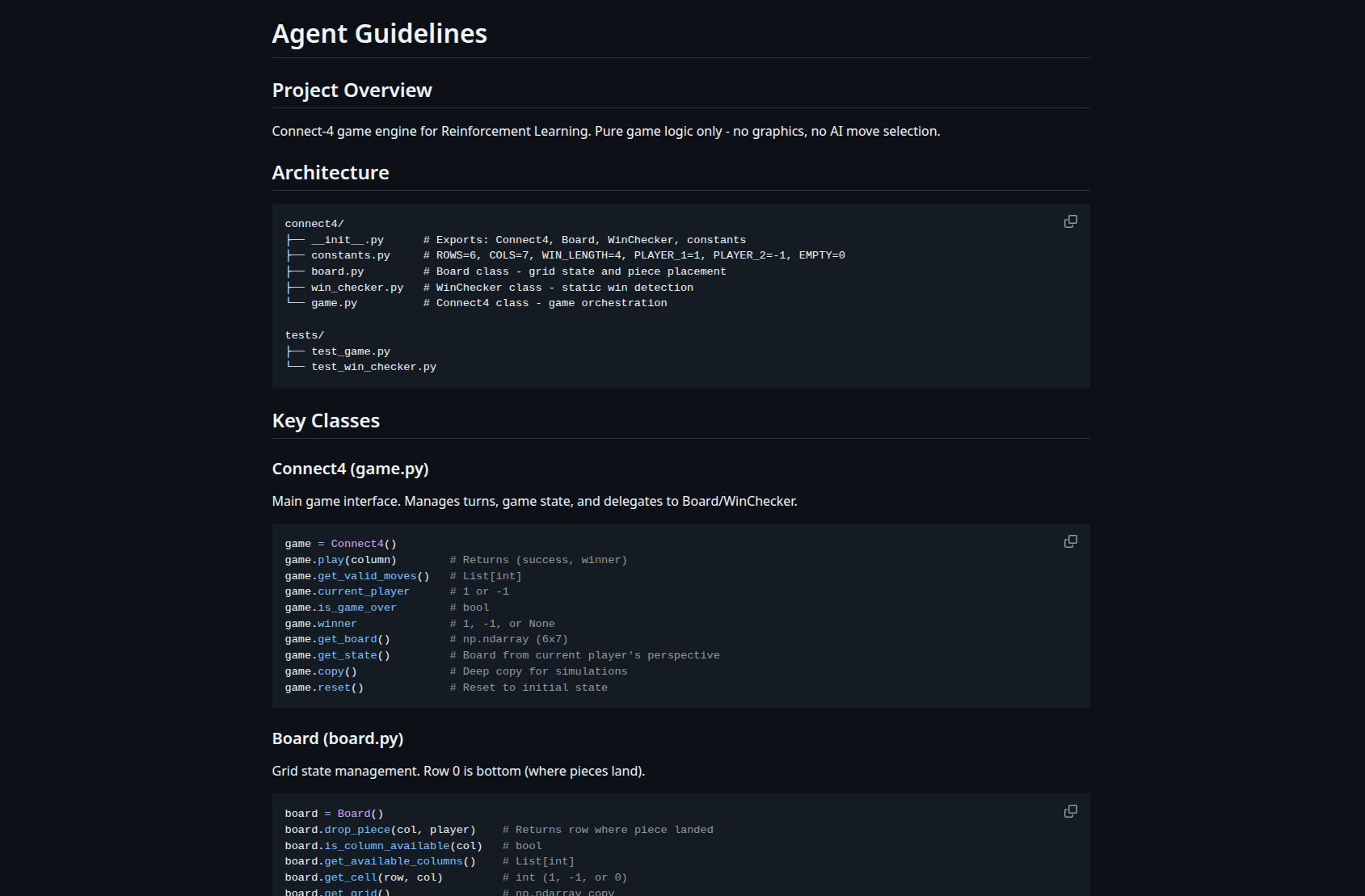
Ok, now we need someone to play against. The baseline model will be one player making random moves. Any future model should perform better than random.
Add the first algorithm, a model that just plays a random move. The random algorithm will just choose one of the legals move at random.
Code looks good, but we need a way to test it. I want to play against any model, so we add code to do so:
Now add a new module to play a game. The program will show the available agents to play with, and the player will select one, as well as the option to be player one or two. The game will be shown in the console, where the player will press the keys 1 to 7 to select the move.
It works!, but it is slightly confusing because columns are named 0-6, and you don’t know which pieces are yours. So let’s fix it:
Modify the board to show columns as 1-7 instead of 0-6. Also, show a legend with the symbol for the player (X or O)
Done! Now it looks good:
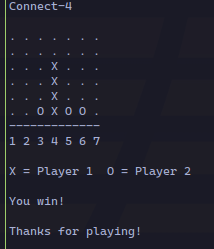
The final step is creating a way to test the models by playing multiple games:
create a module to test models. The module will run two models against each other, one with white and the other with black, or even the same model against itself. The module will ask for the models to play and the number of games (1000 by default), and will show the final results for wins, loses, and draws both in number and percentage
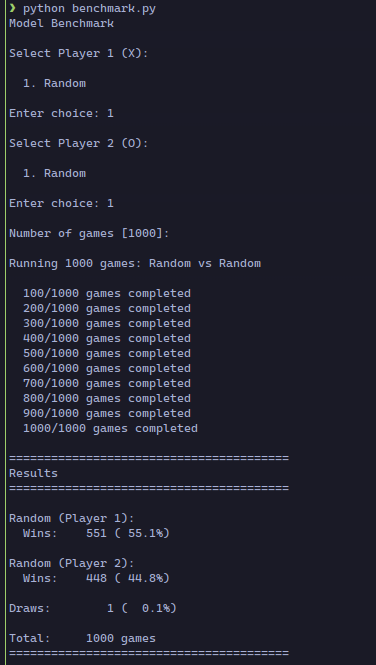
The first player has a slight advantage in the game by playing first, and that shows in the percentages.
This is the final version for today. In total, I spent around half an hour on this code, and all the prompts I used are the ones in this post.
Training the models should be more challenging. We’ll see.